


Navigating the NJ TRANSIT bus network simplifies your daily commute when you know exactly where to find real-time information. Whether you travel to New York City for work or navigate local neighborhood routes, you have several reliable ways to track your bus arrival times.
1. Use the NJ TRANSIT Mobile App
The official NJ TRANSIT mobile app serves as the most powerful tool for riders. It offers real-time bus arrivals, trip planning, and digital ticketing in one interface.
Download the App: Find the NJ TRANSIT app in the Apple App Store or Google Play Store.
Use “Departures”: Select the “Departures” tab to view live arrival times for your specific bus stop.
Search by Stop ID: Every bus stop display features a five-digit number. Enter this Stop ID into the app to pull up the precise arrival data for that location.
2. Visit the NJ TRANSIT Website
If you prefer browsing from your desktop or do not wish to download an app, the official website provides a robust Trip Planner.
- Access the Trip Planner: Navigate to the NJ TRANSIT website and locate the “Trip Planner” widget.
- Enter Your Details: Input your origin, your destination, and your desired travel time.
- Review Schedules: The site generates a list of available routes, transfer points, and estimated travel times. You can also download PDF timetables for specific bus lines if you prefer offline reference.
3. Leverage Real-Time Text Messaging
Sometimes you need an instant answer without opening an app or browser. NJ TRANSIT offers a text-based service to provide arrival data on the go.
- Text Your Stop ID: Send a text message containing your five-digit Stop ID to 69287.
- Receive Instant Updates: The system replies with the next scheduled bus times for your location. This method works perfectly for commuters who need quick information while walking toward a stop.
4. Utilize Third-Party Mapping Apps
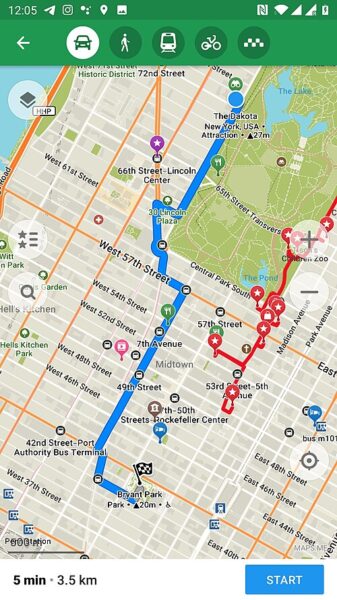
Many frequent riders rely on Google Maps or the Transit app to track buses. These platforms integrate NJ TRANSIT’s open data to provide live GPS tracking.
- Live Tracking: Google Maps shows the real-time position of many buses on the map, helping you visualize how far away your ride is.
Service Alerts: These apps often push notifications regarding delays or detours, keeping you informed before you even leave your house.
Pro-Tips for a Smoother Commute - Check MyBus Status: bookmark the MyBus page on your mobile browser. It focuses specifically on real-time arrival data by bus number or stop ID.
- Sign Up for Alerts: Register for “My Transit” alerts on the NJ TRANSIT website to receive email or text notifications regarding delays or service adjustments on your specific bus routes.
- Arrive Early: Always arrive at your stop at least five minutes before the scheduled arrival time to account for traffic fluctuations.
Summary
By combining these digital tools, you maintain complete control over your commute. Choose the method that fits your daily routine and travel with confidence across the NJ TRANSIT network.


