


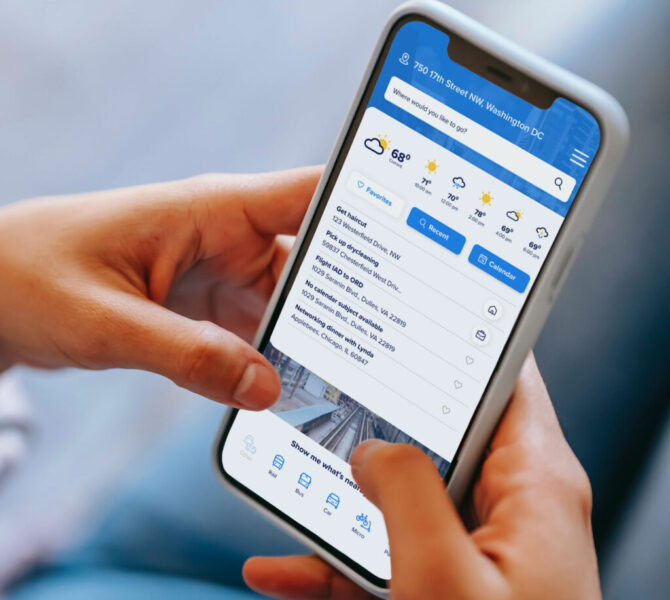
Navigating a sprawling metropolitan transit network often feels overwhelming. Whether you commute daily or explore a new city, an efficient travel plan saves time, reduces stress, and ensures you arrive exactly when expected. By leveraging the advanced features of a modern Metro Trip Planner, you transform a complex transit map into a streamlined itinerary.
Follow this guide to master your route and optimize your daily travel.
1. Leverage Real-Time Data for Precision
Outdated schedules cause unnecessary delays. Always utilize a Metro Trip Planner that integrates real-time GPS data from transit authorities. When you input your starting point and destination, the system immediately pulls live information regarding train arrivals, track maintenance, and potential service interruptions. By checking the planner five minutes before you depart, you avoid waiting on platforms for delayed trains and stay ahead of service alerts.
2. Prioritize Efficiency Over Distance
The shortest physical distance between two points rarely constitutes the fastest route. A professional trip planner analyzes transfer wait times, walking distances between platforms, and operational speeds across different lines.
To optimize your journey:
Compare Routes: Review the multiple options the app provides. Sometimes an alternative line with fewer transfers delivers you to your destination faster than the most direct path.
Assess Transfer Difficulty: Evaluate the transfer steps. A route with a five-minute walk between platforms might prove slower than a route with a shorter transfer, even if the latter involves a slightly longer ride.
3. Customize Your Preferences
Modern planners allow you to tailor results based on your specific requirements. Access the settings menu to configure your profile:
- Minimize Transfers: If you prefer a stress-free commute, select the “Fewest Transfers” filter.
- Accessibility Needs: If you require elevators or step-free access, toggle the “Accessible Route” option to ensure your path remains navigable.
- Departure/Arrival Windows: Set specific arrival deadlines. The planner will calculate the exact time you must leave your home to ensure timely arrival at your workplace or meeting.
4. Utilize Offline Maps and Alerts
Stable internet connectivity often fails in underground tunnels. Download local transit maps directly to your device to ensure you maintain navigation capabilities regardless of signal strength. Furthermore, enable push notifications for your specific line. The planner will proactively notify you of sudden delays or station closures, allowing you to pivot to an alternative route before you get stuck in transit.
5. Plan for “First and Last Mile” Connections
Transit planners now frequently integrate bike-share, scooter rentals, and rideshare services. If your final destination sits more than a ten-minute walk from the nearest station, incorporate these secondary modes of transport into your plan. This holistic approach ensures you reach your doorstep without unnecessary effort.
Conclusion
Optimizing your metro travel requires more than just boarding the first train you see. By utilizing live data, adjusting route preferences, and preparing for every leg of your journey, you regain control over your time. Start using your Metro Trip Planner effectively today to make every commute smoother, faster, and more predictable.


